
Introducing... The Ultimate Retrieval Tool
AKA the most arrogantly named maths resource in history

If you find this tool useful, a great way to show your thanks is to spend 30 seconds filling out this survey to help us decide what tool to build for teachers next. The survey has one key question:

Thanks so much, I really appreciate it.
Okay, let’s get two things out of the way straight away:
Calling something The Ultimate Retrieval tool sets you up for a massive fall. In the words of my wife, it’s a bit cocky, isn’t it?
I am very aware that the last thing the world needs is yet another maths question-generating tool.
So why have I spent my evenings, weekends, and most of half-term building one? Because it does six things that I think matter and, as far as I am aware, that no other tool does. Let me walk you through them, and then show you four ways you might use it.
If you want to jump ahead, you can have a play with it here: The Ultimate Retrieval Tool. It is completely free. No adverts, no pop-ups, no logins, nothing dodgy.
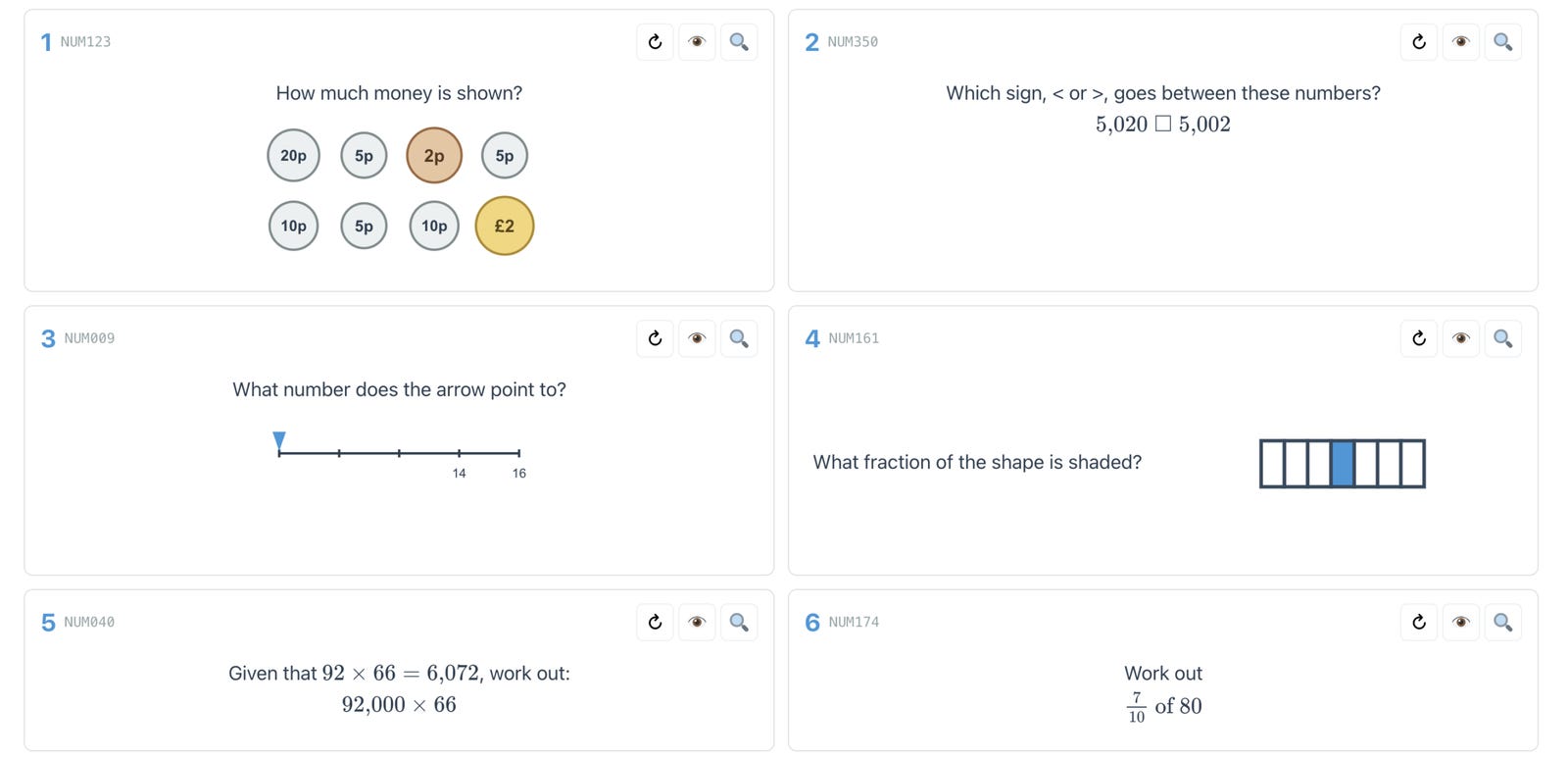
Six things The Ultimate Retrieval Tool does
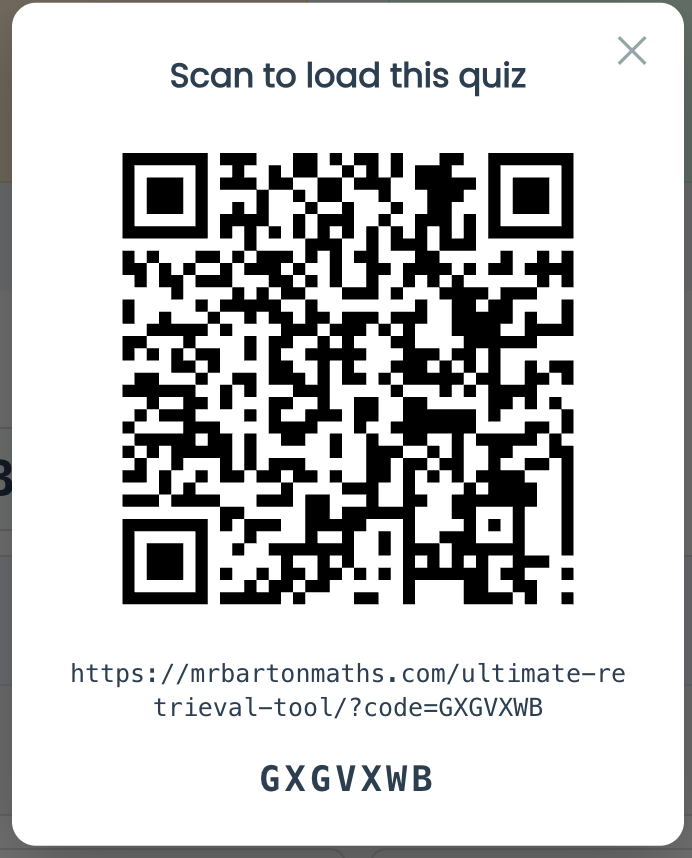
1. A code that brings your quiz back
Build a quiz outside the lesson, get the topics and questions exactly how you want them, then lock it in. The tool gives you a short code, printed on the worksheet alongside a QR code.
Type that code back in, or scan it, and your quiz reappears — questions, answers, and a set of fully worked solutions. So you can build the quiz at home and project it in class. Or build it in class and let students revisit it at home. Share the code with a colleague, and they get your exact quiz too.
The frustrating thing about most generators is that you build something good and then cannot get it back. A quiz you made at the weekend is no use if you cannot regenerate it on Monday morning. And a quiz you built before the lesson and printed off is not much use if you can’t then access it in the lesson to call up all the answers and worked solutions. With this tool, this is not an issue.
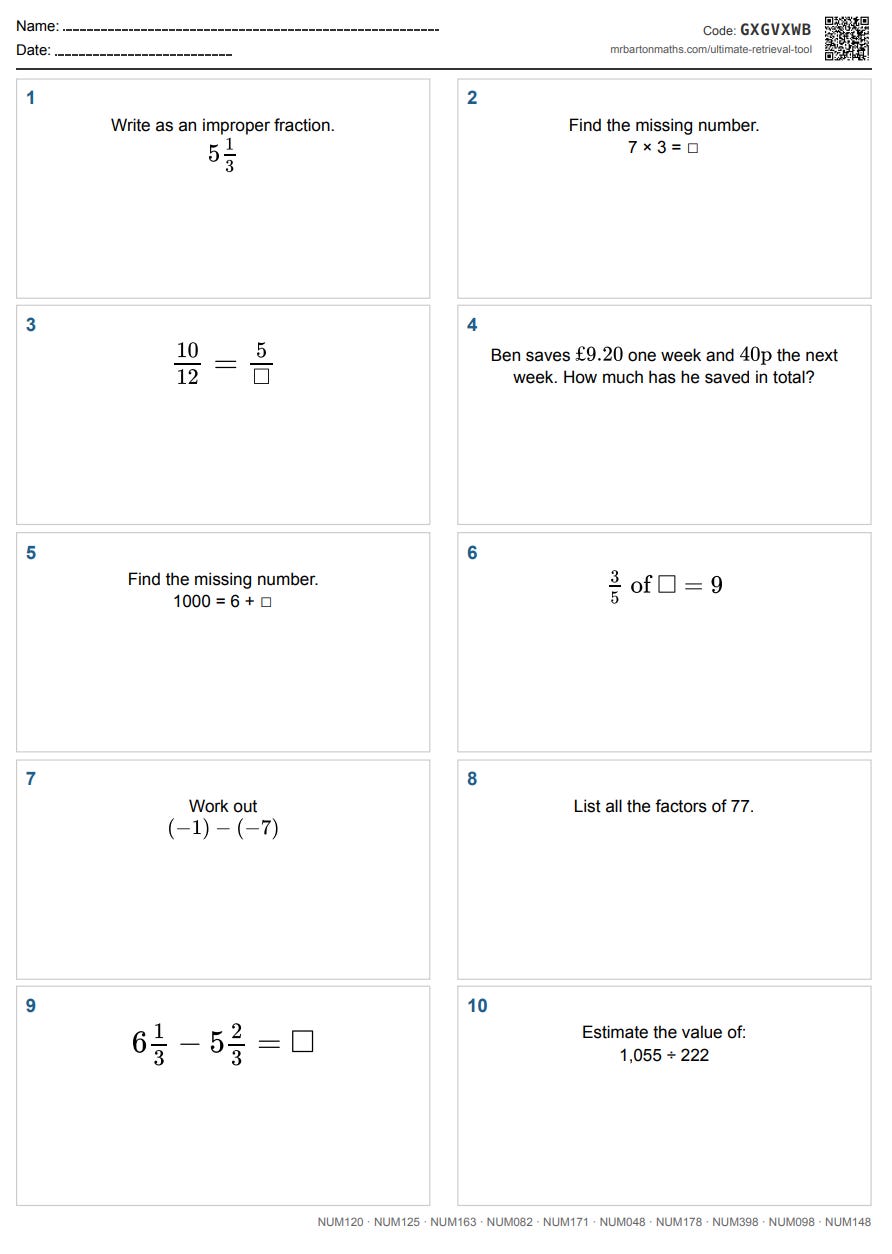
2. Four questions or ten — and it fits on one side of A4
You can build a quiz with four or ten questions. I chose those two numbers on purpose. Four is ideal for a retrieval Do Now. Ten is ideal for a weekly Low-Stakes Quiz.
And because the number is fixed, I can guarantee the printing works. A ten-question quiz fits exactly on one side of A4. A four-question quiz fits two to a side. No awkward half-pages, no font shrinking question by question. Print, photocopy, done.
3. Block one skill or interleave many
Practise any single topic, or any combination of topics. Whatever you have just taught, you can give students blocked practice by picking one or two related skills. Or you can tap into the power of mixed practice — interleaving — by choosing skills from right across the maths curriculum.
Mixing topics forces students to do the thing exams demand and classrooms rarely rehearse: working out which method a question is even asking for. Block practice tells them which skill to use. Interleaving makes them choose.
I’ve got big improvements planned for the interleaving engine, but it works okay for now.
4. Geometry, not just arithmetic
AI can now generate images far better than it could even a few months ago. I wrote about this here. The Ultimate Retrieval Tool renders diagrams, not just lines of text.
Right now, I am working my way through Number. But it will grow to cover angle facts, statistical diagrams, trigonometry, circle theorems — the topics these generators usually leave quietly missing because the diagrams were too hard to generate.
5. A fresh question on the same skill, in one click
Every question has a ↻ button. Press it, and you get a new question on the same skill, with different numbers, a different diagram, a different context.
There are three nice ways you could use this.
When you are planning, the first question that pops up might not suit your class, so click to get another.
In the lesson, your students struggle with a question, you offer an explanation, you click for a follow-up, which students answer on mini-whiteboards. Now you have evidence about whether your explanation actually landed, instead of a hopeful “Does that make sense?”
Share the code with your students, so when they get home, they can generate as many versions of a question as they like, until they have nailed the skill.
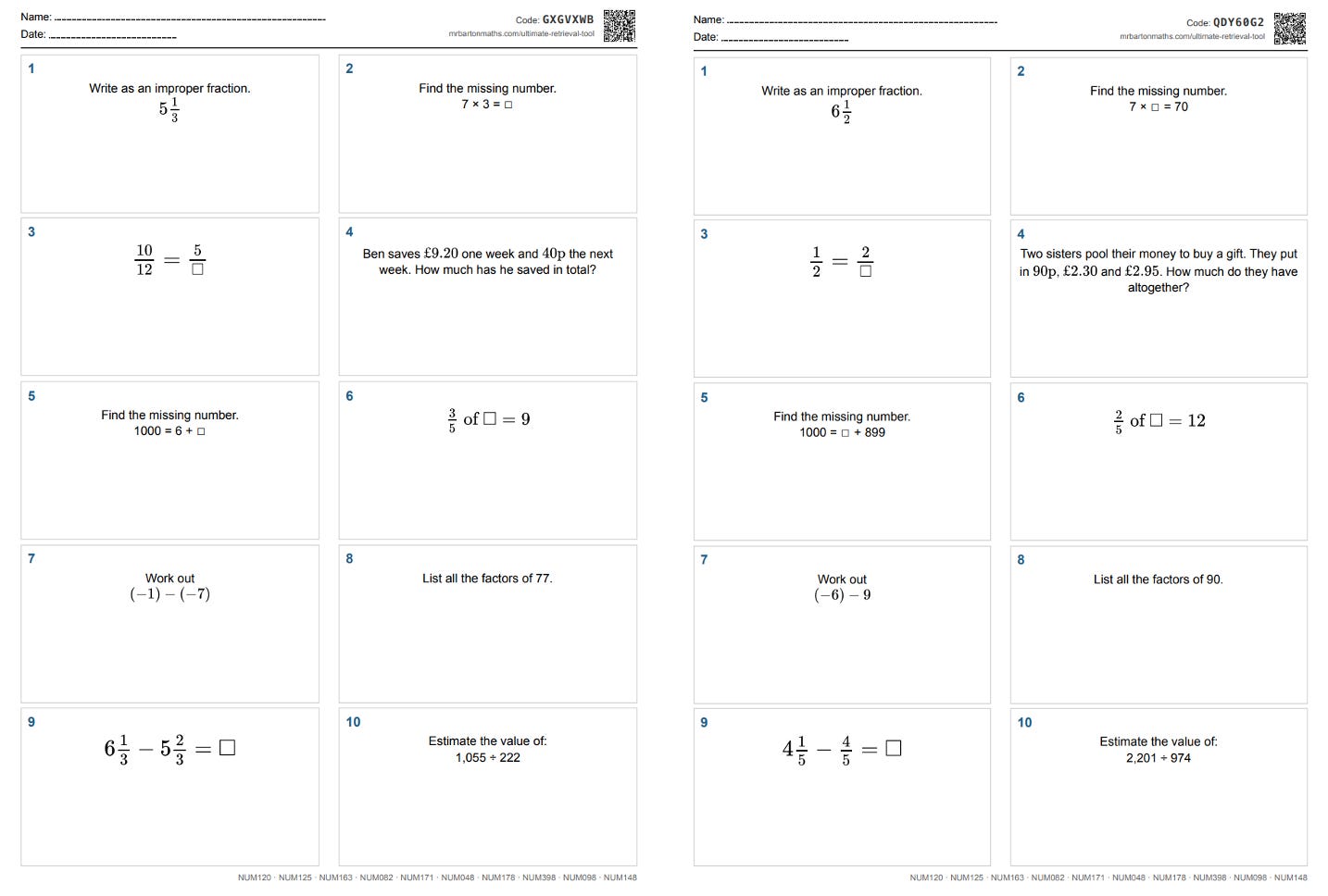
6. A whole follow-up quiz, in one click
Once a quiz is locked in, one button builds a follow-up of the entire quiz: the same skills, in the same order, with fresh numbers throughout.
So if you run the same topics across a week of Do Nows, you can generate five versions in seconds. Or you can set a low-stakes quiz on Thursday, let students revise it over the weekend, and hand them a fresh version on Monday. Same skills, new questions, and a clean read on what has actually stuck.
Four ways to use The Ultimate Retrieval Tool
1. The Do Now
Pick four questions from four different topics. I am a fan of mixed-topic Do Nows unrelated to the lesson's content to ensure students don’t forget what they once knew. Put the quiz on the board and have students answer on mini-whiteboards. For any question they struggle with, offer an explanation, then hit ↻ to get a new question. Students answer this follow-up question on their mini whiteboards, which gives you evidence in the moment as to whether your explanation made sense. For more on the do now, check out my book.

2. A weekly Low-Stakes Quiz
Low-stakes quizzes are one of my all-time favourite retrieval opportunities. Print a ten-question quiz, students do it in silence, go through the answers on your board (each question has an answer and a fully worked solution), and students mark it themselves. Then they take their quiz paper home — code and all — and use it as an interactive revision document, accessing answers, full working out, and unlimited question generation. For more on low-stakes quizzes, check out my book.

3. Interleaved practice
You have taught a concept and students seem to have nailed it. The real test is whether they can still answer questions on it when those questions are jumbled in with everything else. Select a ten-question quiz, click the skill you have just taught, throw in a few skills from earlier in the year, and there is your mixed-topic worksheet. The struggle of switching between topics is the point, not a side effect.
4. Homework
You shouldn’t pick favourites, but this might be mine.
I have argued before that homework as a check for understanding is dead. It does not matter whether you set it on paper or on a platform. A student can take a photo, upload it to ChatGPT, copy the working… and score full marks every time. If the purpose of homework is to do it and score well, and that is what they are held accountable for, then the kids who most need to do it are the very ones who will cheat.
The only solution is to flip the purpose of homework. Set a printed ten-question quiz for homework and tell students they can use whatever they like — AI, the tool’s own follow-up questions, a textbook, a revision guide, a friend, you genuinely do not mind. Then, next lesson, hand them a follow-up version on paper (you can generate this with a single click), no technology in the room, and tell them that their performance on this no-tech follow-up will be what they are held accountable for.
Why does this work? Because you have stopped trying to police the homework, which you cannot control, and started assessing the thing you can — the in-class quiz. The homework is no longer the assessment. It is preparation for the assessment. And the moment that becomes true, the incentive to cheat disappears, because the only way to do well on Monday is to have actually learnt something over the weekend.
Why I built The Ultimate Retrieval Tool
There are two reasons why I built this tool and why I’ll never charge for it.
First, I’ll be honest… I am addicted. I love building things with my mate Claude. I do not just say “build me a generator on adding fractions.” I have a proper back-and-forth about which numbers to use, what constraints to set, what variations to build in. I find that stuff fascinating, pushing the technology to its limits, and I am learning a huge amount from it.
Second — and I am very aware of how corny this sounds — I want to give a bit back. I have learnt so much from maths teachers around the country and around the world over the last 22 years. People have been kind enough to find my work useful, whether that is booking CPD, buying my books, taking my online courses, listening to my podcasts, reading my newseltters, or supporting what we do at Eedi. This feels like a good way for an old man to say thanks.
The future of the Ultimate Retrieval Tool
I reckon there will eventually be around 800 skills. So far, I have built 260. I started in the Number section, and I am working my way down, adding new skills every week — so keep checking back.
I also have plans to improve the interleaved function and add a smart spacing element. That’s my treat for the next few weeks
I am not putting this on the home page of my website just yet. I wanted to give it to you, my dear newsletter readers, first — a thank you for putting up with all my geeky AI posts over the last few months. Have a play around with it. Let me know in the comments what you like, how you have used it, and any suggestions for improvement.
The link to the tool is here.
One small ask…
You made it to the end, so I will keep the ask short. If you find this tool useful and can spare 30 seconds, please fill out the survey I mentioned at the top of this email — it genuinely shapes what I build next.
Thanks so much for reading. I really hope you and your students find this tool useful, and I hope you have a great week.
Craig
This is AMAZING. One thought for early primary (kindergarten, first) is a way to cap the number size. When I selected skip counting by tens, I got skip counting by tens ... in the hundreds. And the 3 part number bond (which I was JUST doing with first graders) was packed with 2 digit numbers. We're working with numbers 10 and under for skills like that. But at the same time, number line counting within 100, and comparing within 100 is exactly what I need. Maybe have some sort of grade level preset that caps the numbers for different questions at that grade level? Might really only be needed for the littlest ones. No, wait, that's not true.... if you're using this as a warm-up for small group intervention for older kids, you also may need a way to cap the number magnitude.
The ultimate retrieval tool would be this but a Do-Now generator linked to each teacher's medium term plan! That's what we're working on as a maths department currently!